Teaching & Learning

Pathways to Progress

Updates from Digital Learning, Personalized Learning, Libraries, and Coaching

AI to Support Instructional Priorities

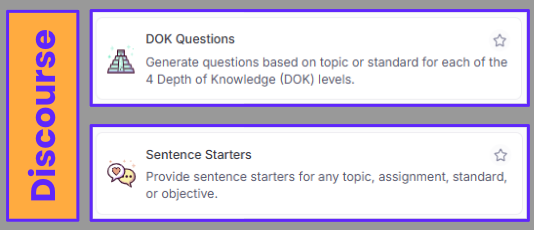
Good discussions start with good questions. Try the DOK Questions Tool to make sure your questions are top-notch.

Sometimes students just need a place to start. Use Sentence Starters to get the conversations rolling in your classroom!
 Two purple rectangular cards with rounded corners are vertically stacked against a pale orange background. The card on top has a small icon of an Aztec temple and the words "DOK Questions." The text underneath reads, "Generate questions based on topic or standard for each of the 4 Depth of Knowledge (DOK) levels." The card below it has an icon of two speech bubbles, one with a heart, and the words "Sentence Starters." The text underneath says, "Provide sentence starters for any topic, assignment, standard, or objective." A vertical purple bar with the word "Discourse" written in pale orange is to the left of both cards. There's a star icon on the top right of each card.

Meeting the diverse needs of the learners in your classroom can be difficult and time-consuming. Get a jump start on differentiation and support through these tools to support MTSS on your campus.
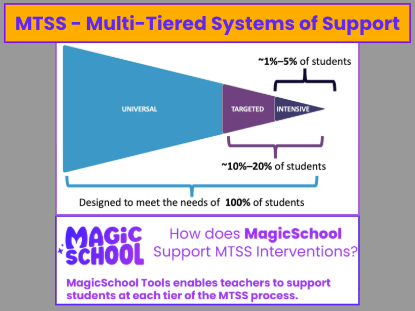
 A purple banner with a yellow outline at the top of the image reads "MTSS – Multi-Tiered Systems of Support." Below the banner is a blue, triangular diagram, with its widest part on the left and the point on the right. The widest section of the triangle is labeled "UNIVERSAL." Next to it is a smaller, purple section labeled "TARGETED," and the smallest section at the tip is labeled "INTENSIVE." Brackets show that the "TARGETED" section represents "10%–20% of students" and the "INTENSIVE" section represents "1%–5% of students." A long bracket underneath all three sections says, "Designed to meet the needs of 100% of students." Below the diagram, a purple text box with a light purple outline has the words "MAGIC SCHOOL" on the left and "How does MagicSchool Support MTSS Interventions?" on the right. Underneath the question, the text box reads, "MagicSchool Tools enables teachers to support students at each tier of the MTSS process." The background is gray.

Did you know there are tools created by Klein ISD content experts specifically for your content and grade level that support the Writing and PLC priorities? Check out your KISD PLC Unpacker and your Writing Feedback Coach by visiting kisd.us/CustomTools!
 A rectangular, pale orange bar with a purple outline is at the top of the image. It contains the purple text "Writing/PLC." Below the bar is a larger, horizontal purple banner with a pattern of four-pointed stars. On the left side of the banner, the text "MAGIC SCHOOL" is written in a stylized white font with sparkles around the letters. On the right side, there's a smaller, pale orange oval with a purple outline and the text "Custom Tools" in purple. The background is gray.

Magic Moments Nominations

Make time to recognize the Magic! Use and share this form to nominate someone who is making the Magic happen with MagicSchool.
A banner with a purple background, yellow stars, and the text “Magic Moments Nominations” in bold letters. An illustrated character wearing a unicorn hoodie is at the bottom of the banner. Below, a white section reads “Magic Moments Teacher Nomination” in bold black text with the tagline: “✨ Sparking Creativity, Inspiring Learning: Celebrating Teachers Who Make Magic with MagicSchool ✨.”

MagicSchool Leaderboards for August

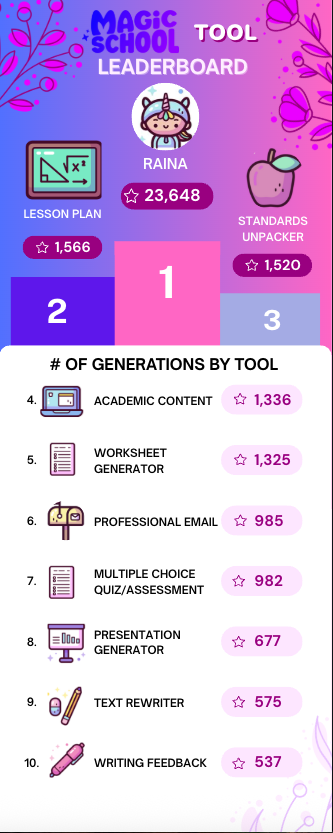
Top MagicSchool Tool

A colorful MagicSchool Tool Leaderboard with a purple and pink gradient background and floral accents. At the top, a character icon labeled “Raina” shows 23,648 total points. The leaderboard ranks tools by number of generations: Lesson Plan (1,566) is in 2nd place, Standards Unpacker (1,520) is in 3rd place, with the 1st place section highlighted in pink for Raina overall. Below, the top 10 tools are listed with icons and star counts: Academic Content (1,336), Worksheet Generator (1,325), Professional Email (985), Multiple Choice Quiz/Assessment (982), Presentation Generator (677), Text Rewriter (575), and Writing Feedback (537).

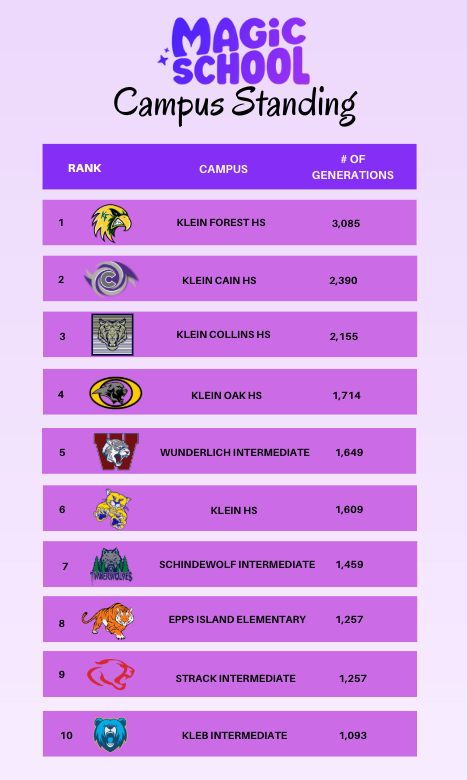
Top MagicSchool Campuses

 A purple and white graphic with the title "MAGIC SCHOOL Campus Standing." The graphic is a top 10 list of schools, ranked by the number of "generations." Each entry in the list shows the rank number, a school logo, the school's name, and the number of generations.  The list is as follows:  Klein Forest HS with 3,085 generations.  Klein Cain HS with 2,390 generations.  Klein Collins HS with 2,155 generations.  Klein Oak HS with 1,714 generations.  Wunderlich Intermediate with 1,649 generations.  Klein HS with 1,609 generations.  Schindewolf Intermediate with 1,459 generations.  Epps Island Elementary with 1,257 generations.  Strack Intermediate with 1,257 generations.  Kleb Intermediate with 1,093 generations.

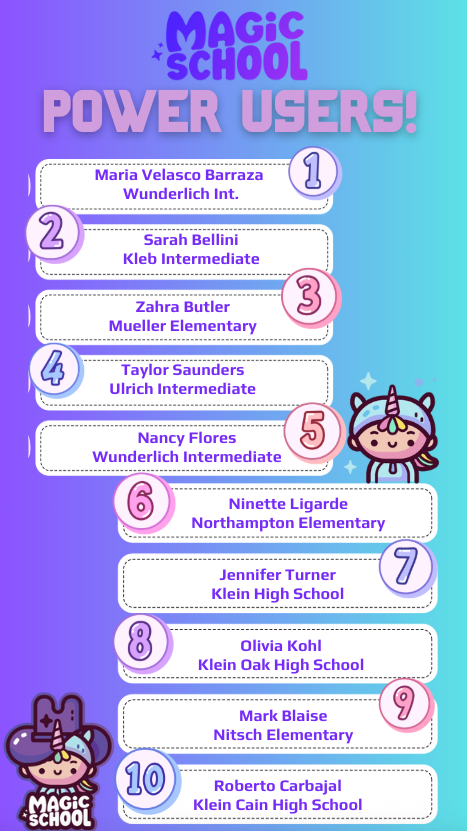
Top MagicSchool Power Users

 A purple and white graphic with the title "MAGIC SCHOOL POWER USERS!" The graphic is a top 10 list of "power users" with their names and schools. There are cute cartoon characters of a wizard and a unicorn on either side of the list.  The list is as follows:  Maria Velasco Barraza from Wunderlich Intermediate.  Sarah Bellini from Kleb Intermediate.  Zahra Butler from Mueller Elementary.  Taylor Saunders from Ulrich Intermediate.  Nancy Flores from Wunderlich Intermediate.  Ninette Ligarde from Northampton Elementary.  Jennifer Turner from Klein High School.  Olivia Kohl from Klein Oak High School.  Mark Blaise from Nitsch Elementary.  Roberto Carbajal from Klein Cain High School.

Library Events and Resources

Digital Learning Support and Resources

Are you looking for classroom technology support? Kisd.us/DigiLearn is a great place to start when looking for help. Our Campus Support page lists your campus Digital Learning Specialist (DLS). You can reach out to your DLS at any time and request help.
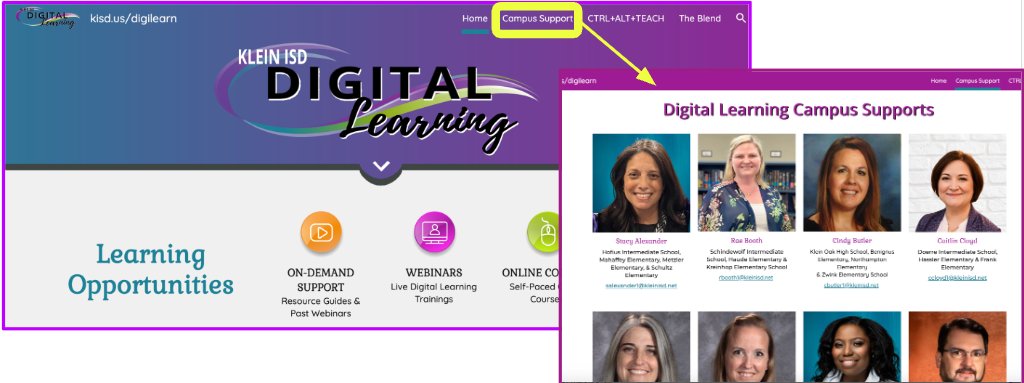
A split-view screenshot of a website. The left side shows the homepage of the Klein ISD Digital Learning website, with a menu bar at the top and sections for "Learning Opportunities." A purple highlight box and a yellow arrow point to the "Campus Support" link in the menu bar. The right side shows the "Digital Learning Campus Supports" page that appears after clicking the link. This page displays headshots and job titles of several support staff members.
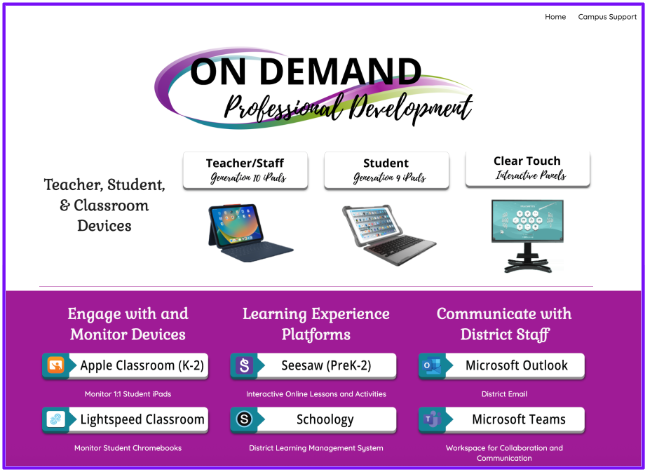
 A screenshot of a webpage titled "On Demand Professional Development." The page is divided into two main sections with a purple background.  The top section is titled "Teacher, Student, & Classroom Devices" and features three distinct categories with images of devices:  Teacher/Staff (Generation 10 iPads) with an image of an iPad.  Student (Generation 9 iPads) with an image of an iPad.  Clear Touch (Interactive Panels) with an image of an interactive panel screen.  The bottom section is divided into three columns:  Engage with and Monitor Devices lists "Apple Classroom (K-2)" and "Lightspeed Classroom."  Learning Experience Platforms lists "Seesaw (PreK-2)" and "Schoology."  Communicate with District Staff lists "Microsoft Outlook" and "Microsoft Teams."

Our On Demand page has everything you need to get your classroom up and running, from using your Clear Touch to setting up your Schoology courses to learning how to connect your iPad to the Clear Touch so that you can move around the room. Plus, there is so much more.

Are you new to Klein? We have a page especially for you. Our New to Klein page has everything you need to know about the technology we have available in the district and how to use it.
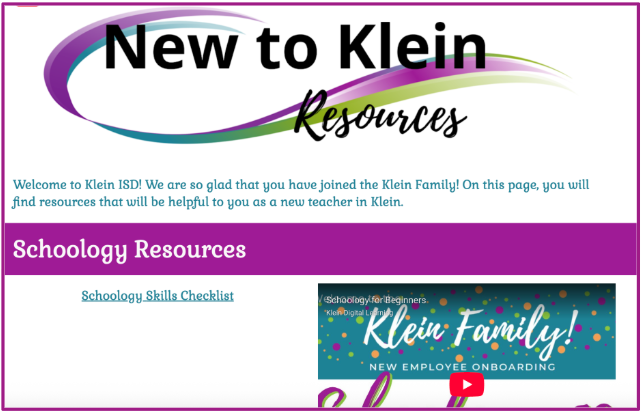
 A screenshot of a webpage with the title "New to Klein Resources." The page has a white and purple background. It includes a welcome message for new teachers and a section titled "Schoology Resources." Below this heading, there is a link to a "Schoology Skills Checklist" and a thumbnail of a YouTube video titled "Schoology for Beginners" with the text "Klein Family! NEW EMPLOYEE ONBOARDING."
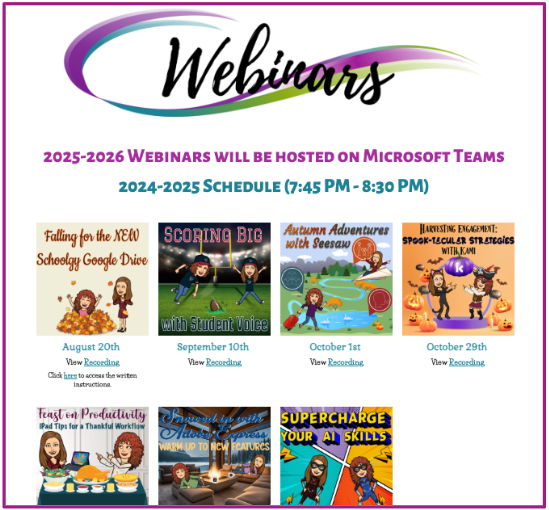
 A purple and white graphic advertising "Webinars." The graphic lists the 2025-2026 webinar schedule, noting that all webinars will be hosted on Microsoft Teams from 7:45 PM to 8:30 PM. The schedule is presented as a grid of eight thumbnails, each featuring a different theme and date, with options to "View Recording" or access "written instructions."

Our Webinars page has information about our upcoming webinars and the recordings of our past webinars. Even if you missed the webinar in the evening for CPE credit, you can watch the recording anytime.

Upcoming Professional Development

Get ready—our fall Magic Hour with MagicSchool webinar series is here! 🍂

We’ll have something for everyone: advanced sessions for our AI Campus Experts (ACEs) and hands-on, practical webinars for teachers and staff. Whether you’re looking to grow your leadership or bring fresh AI ideas into your classroom, you’ll find a session that sparks your curiosity.

👉 Don’t miss the magic—check out the sessions here:
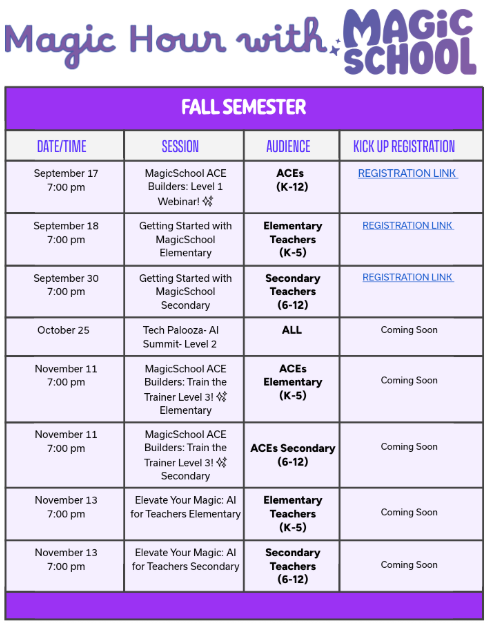
A calendar graphic for "Magic Hour with Magic School - Fall Semester." The calendar is a table with four columns: DATE/TIME, SESSION, AUDIENCE, and KICK UP REGISTRATION.  The sessions listed are:  September 17, 7:00 pm: MagicSchool ACE Builders: Level 1 Webinar! (Audience: ACEs, K-12)  September 18, 7:00 pm: Getting Started with MagicSchool Elementary (Audience: Elementary Teachers, K-5)  September 30, 7:00 pm: Getting Started with MagicSchool Secondary (Audience: Secondary Teachers, 6-12)  October 25, 7:00 pm: Tech Palooza- AI Summit- Level 2 (Audience: ALL)  November 11, 7:00 pm: MagicSchool ACE Builders: Train the Trainer Level 3! Elementary (Audience: ACEs Elementary, K-5)  November 11, 7:00 pm: MagicSchool ACE Builders: Train the Trainer Level 3! Secondary (Audience: ACEs Secondary, 6-12)  November 13, 7:00 pm: Elevate Your Magic: AI for Teachers Elementary (Audience: Elementary Teachers, K-5)  November 13, 7:00 pm: Elevate Your Magic: AI for Teachers Secondary (Audience: Secondary Teachers, 6-12)  Registration links are available for the September 17, September 18, and September 30 sessions. Registration for all November sessions is listed as "Coming Soon."